
Want to get a custom domain name, MongoDB tools, canva.com, unity, and many more for free.

When I was just learning web development earlier when I was in college I always wanted to host it somewhere and get a domain name but I was not ready to pay for that as I just wanted to see my static webpages on the web was my only intention, back then I used 000webhosting to host my projects but they had weird and lengthy domain names which became hard for me to share it with my faculty or colleges. So then my quest began to look for free offerings on the internet.
To my luck I found GitHub providing several free tools for students which are extremely useful, So I would like to share how anyone can get this benefit from GitHub and use those powerful and useful tools. Let's get started.
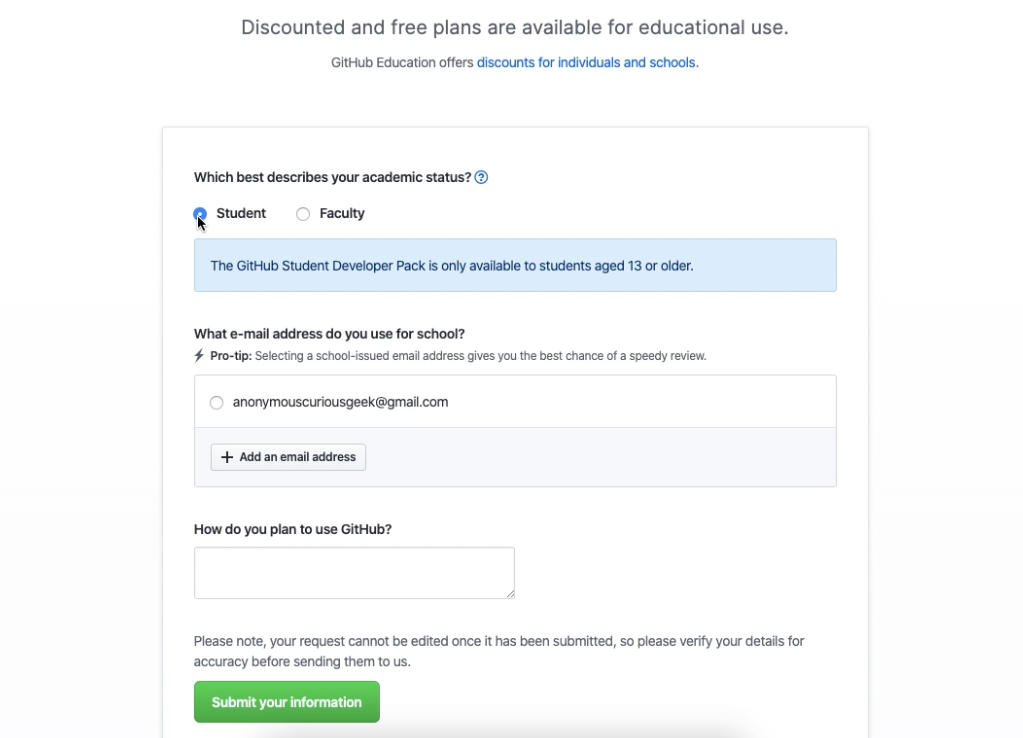
Head to GitHub Student Developer Pack make sure you already have a GITHUB account or create one by clicking on the link provided.
Then choose student or faculty according to your academic status.
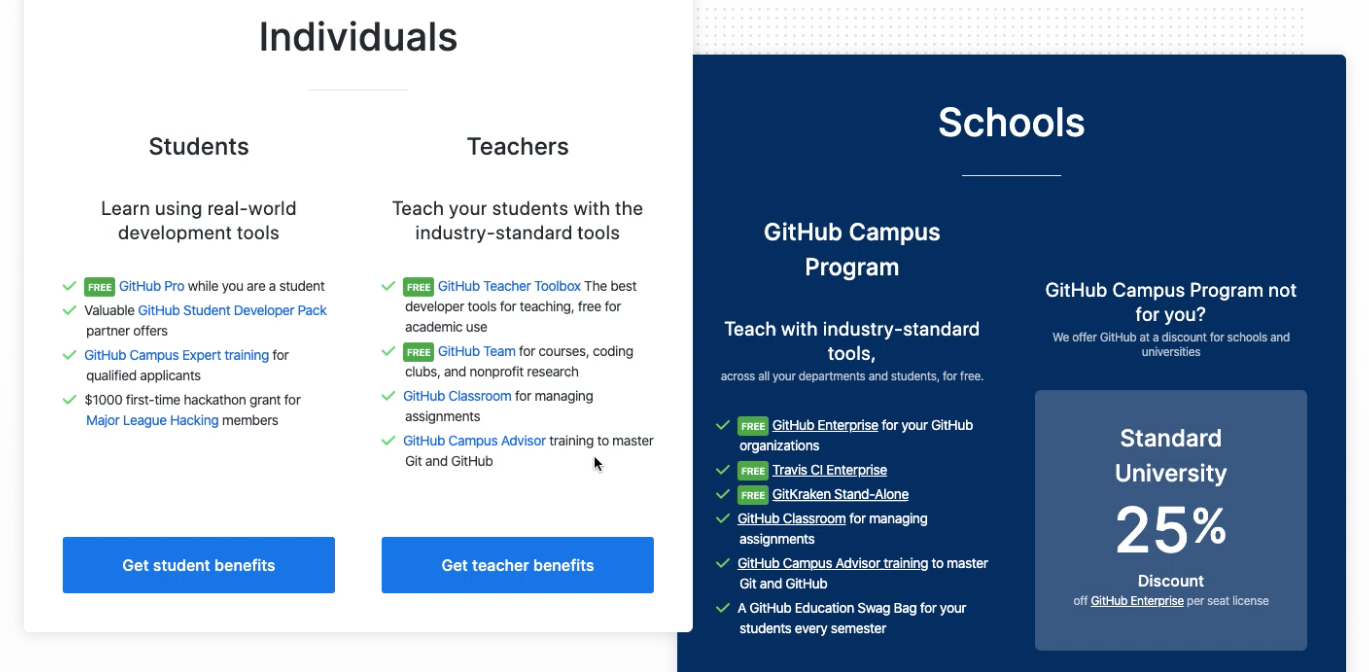
One selected to refer to these requirements
One registered and approved you can head back here for the offers: https://education.github.com/pack/offers
Or you can check this: name.com Free domain and login with your approved GitHub account and search for your custom domain name
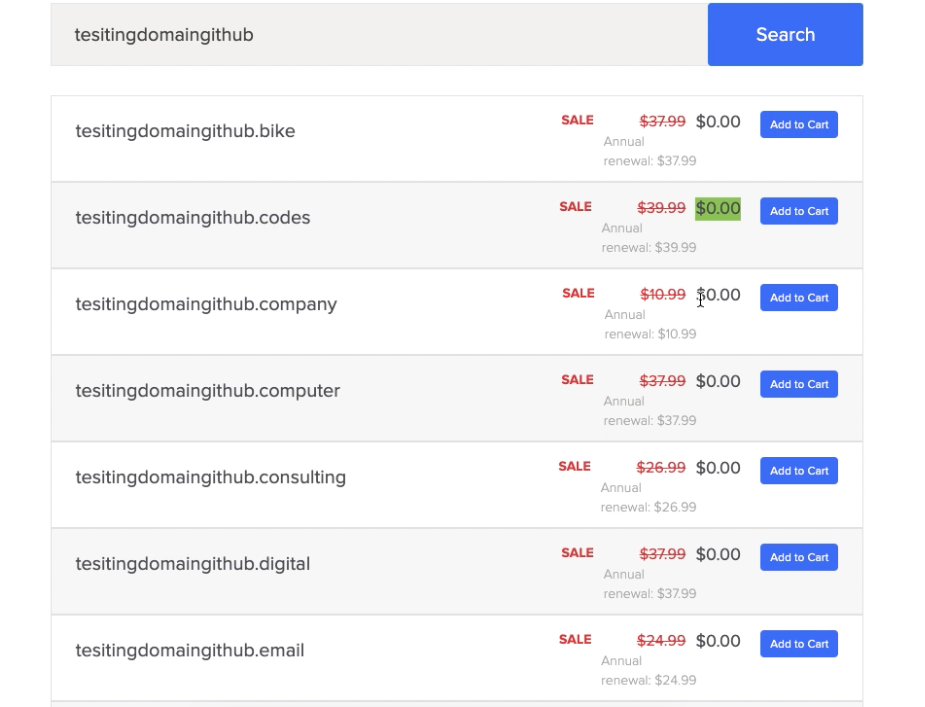
You can add up to one domain to the cart
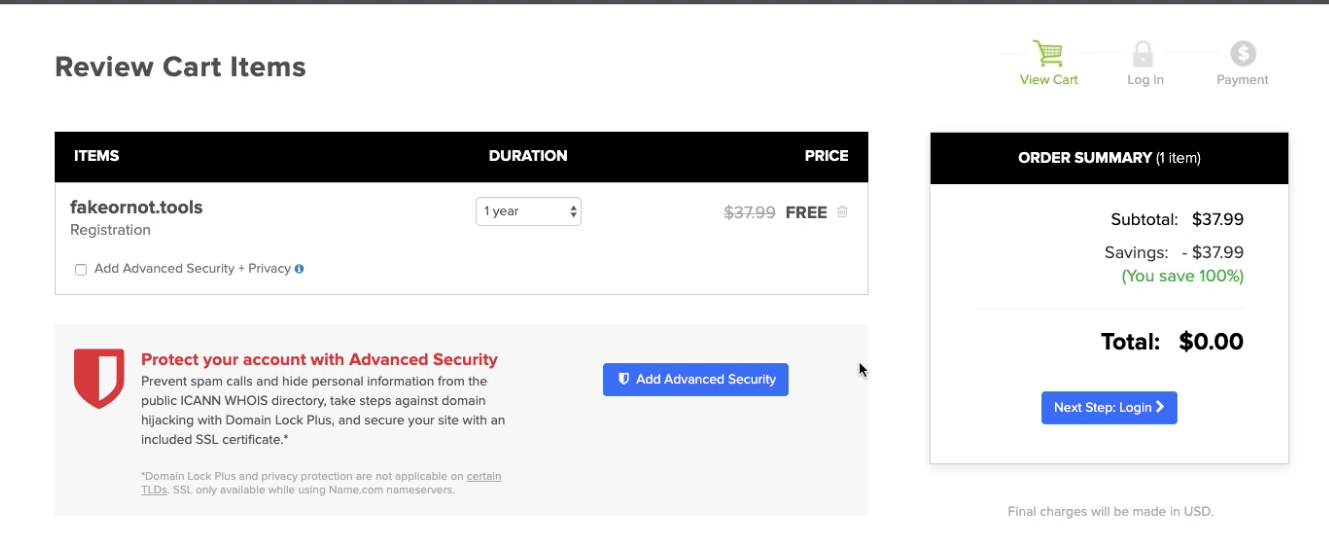
Its automatically saved and then go ahead and create your own account to register and get the domain for yourself.
This is just one of the many free productivity tools available on the GitHub student pack and you can take advantage of every tool and improve your productivity.
Check out the below video for more details.
https://www.youtube.com/watch?v=Lv3AO-DoNxI
Hope you found this useful. Comment down for any questions and any other premium productivity tools which are available for free which could be helpful for others.
Thanks for reading
Original Post: https://medium.com/@pidugusundeep5/
When I was just learning web development earlier when I was in college I always wanted to host it somewhere and get a domain name but I was not ready to pay for that as I just wanted to see my static webpages on the web was my only intention, back then I used 000webhosting to host my projects but they had weird and lengthy domain names which became hard for me to share it with my faculty or colleges. So then my quest began to look for free offerings on the internet.
To my luck I found GitHub providing several free tools for students which are extremely useful, So I would like to share how anyone can get this benefit from GitHub and use those powerful and useful tools. Let's get started.
Head to GitHub Student Developer Pack make sure you already have a GITHUB account or create one by clicking on the link provided.
Then choose student or faculty according to your academic status.
One selected to refer to these requirements
One registered and approved you can head back here for the offers: https://education.github.com/pack/offers
Or you can check this: name.com Free domain and login with your approved GitHub account and search for your custom domain name
You can add up to one domain to the cart
Its automatically saved and then go ahead and create your own account to register and get the domain for yourself.
This is just one of the many free productivity tools available on the GitHub student pack and you can take advantage of every tool and improve your productivity.
Check out the below video for more details.
https://www.youtube.com/watch?v=Lv3AO-DoNxI
Hope you found this useful. Comment down for any questions and any other premium productivity tools which are available for free which could be helpful for others.
Thanks for reading
Original Post: https://medium.com/@pidugusundeep5/
Comments
Post a Comment